Tuesday, May 26, 2020

Week 7 100 Word Challenge

Latest prompt

The prompt this week has been sent from a student in Ireland. It is a photo he took himself & I think it gives you a great story to tell!

Submit your blog post to the 100WC people.  Login details are on the board.

Wednesday, May 20, 2020

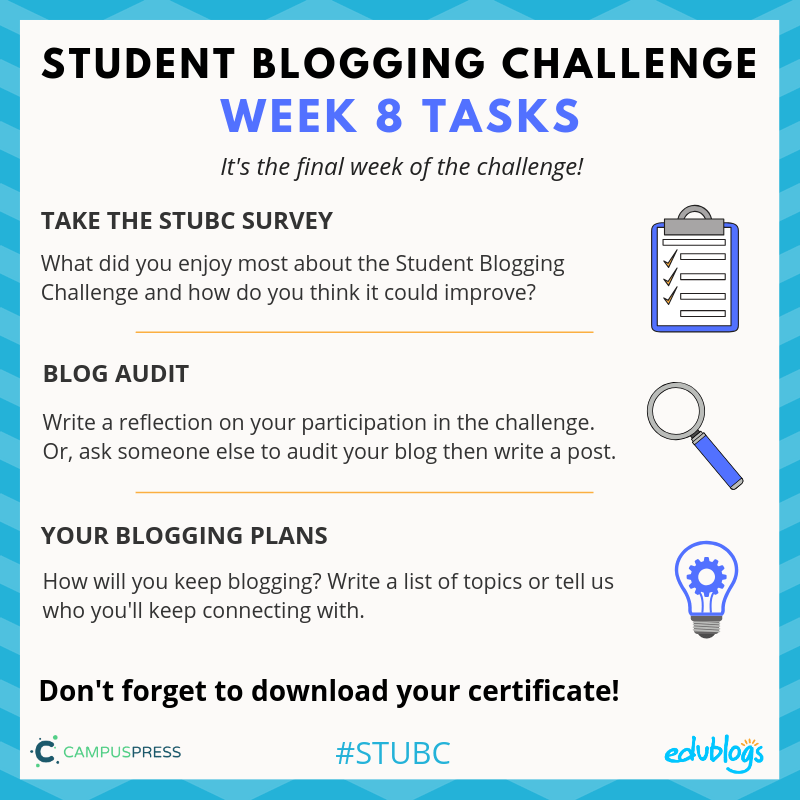
Week 8 Blogging Challenge

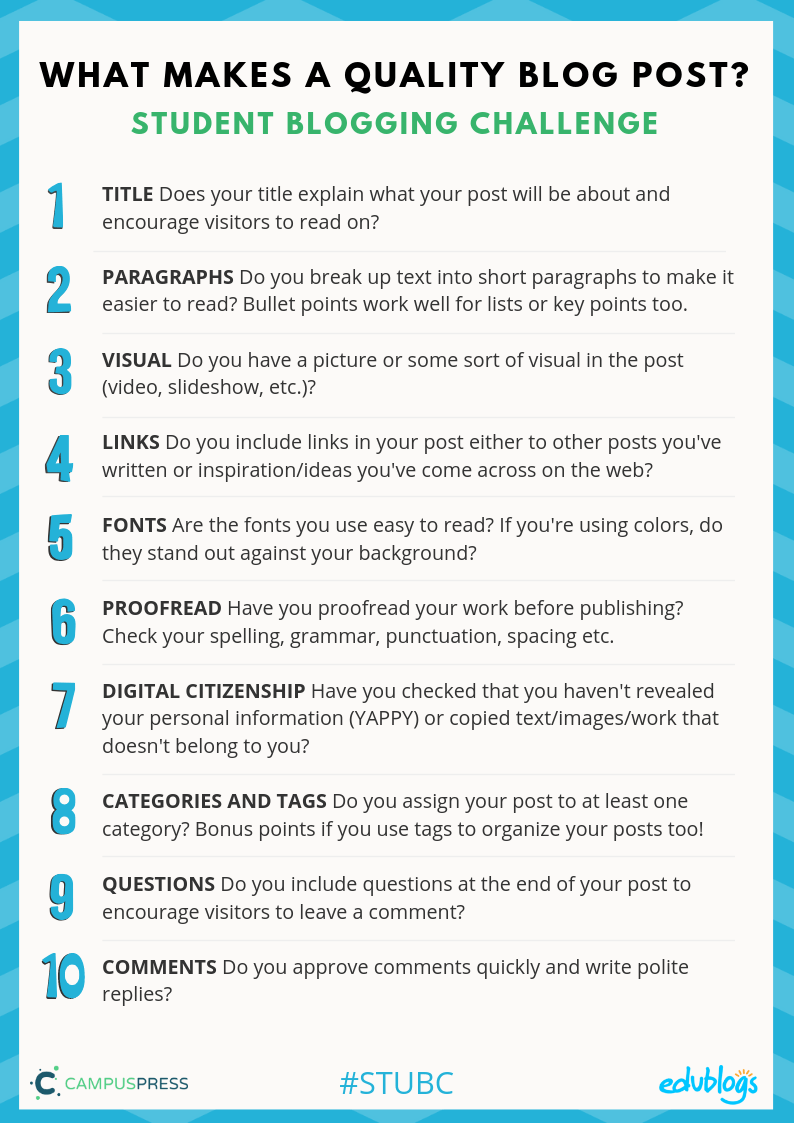
I think it is a timely reminder about what a good blog post needs.  Have a read of this poster:

Task 1Student survey

👉🏽 Click here to open the student survey

Teachers, add this URL to your class blog or LMS if you like https://forms.gle/XVcj8gutKWa4ENgJ7

Task 2: Audit Your Blog 

Option One: Write a post on your blog reflecting on your participation in the challenge.

These are the sorts of prompts you could answer in your post:

  • How many weeks of the challenge did you participate in?
  • How many posts did you write in the 8 week period?
  • How many comments did you receive from classmates, teachers, or other visitors?
  • Which post did you enjoy writing the most and why?
  • Which web tools did you use to show creativity on your blog?
  • What are your plans for your blog now? Will you keep posting?

Option Two: Ask a friend or family member who might not have read your blog to do an audit.

Send them your blog URL and ask them some questions.
For example:

  1. What were your first impressions of my blog?
  2. What captured your attention?
  3. What distracted you on the blog?
  4. What suggestions can you give me to improve my blog?

Task 3: Your Blogging Plans

While the Student Blogging Challenge is coming to an end, we hope this is not the end of your blogging journey. We encourage you to keep blogging and connecting. To do this well, you might need a plan.

Write a post about how you plan to keep blogging:

  • Perhaps you’d like to publish a list of ideas you have for future blog post topics.
  • Or, you could ask your readers for suggestions on what they’d like you to write about on your blog. You could even run a poll.
  • Write about anyone you have connected with throughout the challenge that you’d like to stay in touch with. Are there any blogs you’ll keep reading and commenting on?

Blog post ideas for students:


Monday, April 27, 2020

Week 6 Blogging Challenge


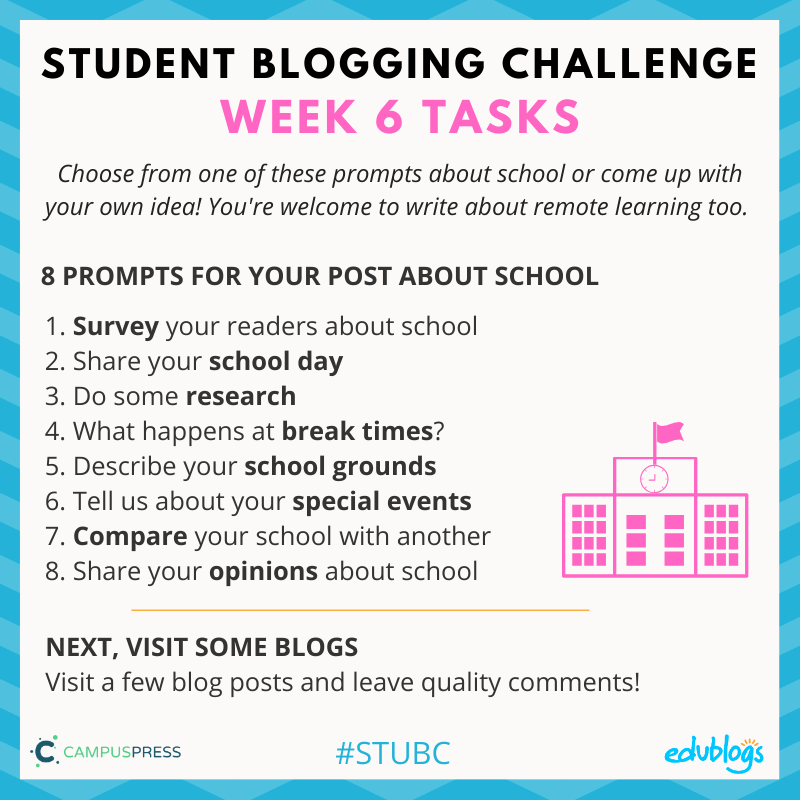
Week 6 of the Student Blogging Challenge looks at school around the world.

Week Six Tasks

This week you can choose from a list of 8 ideas to create a post about school. Or you can come up with your own idea!
For example, you’re welcome to tell everyone how you’ve switched to remote learning if this is something you’re currently doing. 

Check out the blogging website for more prompts and information for the 8 ideas.  Tell the world how awesome OIS is...


How do you comment on other people's blogs from the World Blogging Challenge?

Visit this page and see down the right hand side bar to where is say "CHECK OUT OUR PARTICPANT’S WORK".  CLICK ON ONE OF THE WEEKS AND IT WILL OPEN A SPREADSHEET WHERE THERE WILL BE LINKS TO OTHER BLOGS.

Monday, April 20, 2020

Week 5 Blogging Challenge


Please check and reply to comments that you have received.

Awesome to see Lesieli from New Zealand as a feature for this week where she did a drawing challenge and linked to a YouTube tutorial.  Well done Lesieli!


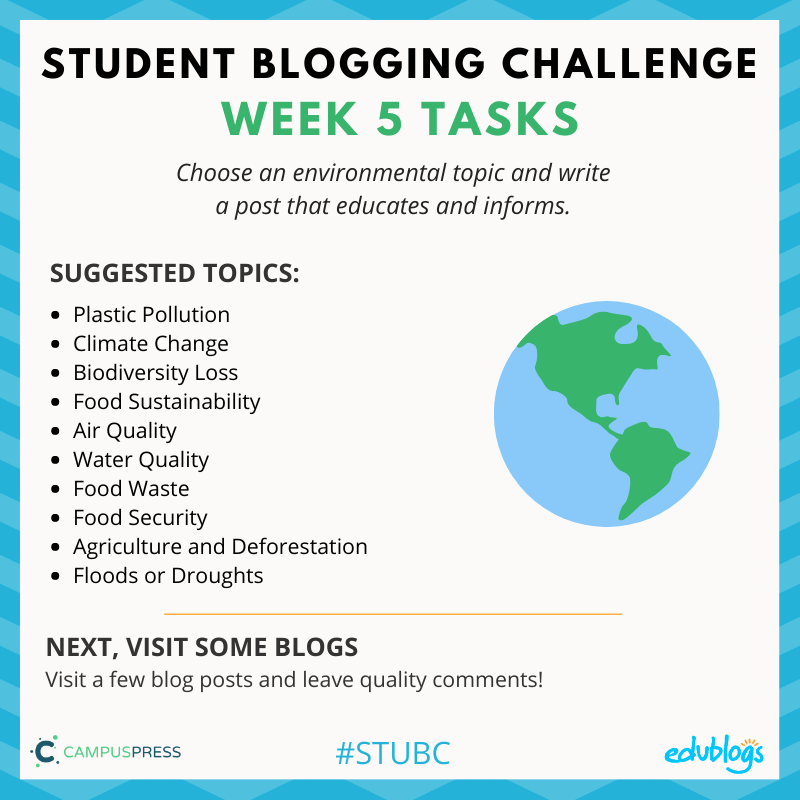
Week 5 of the STUBC is about Earth Day and the environment


Step One: Choose your topic

What are you interested in? Is there a topic you’re passionate about? Or maybe there’s a topic you’re not very familiar with and you’d like to find out more about?
Select one of the environmental topics in the diagram above or choose your own.

Step Two: Find resources

You might need to do a little bit of research to write your post.
👉🏽 Remember: You cannot copy and paste text off another website and use it as your own. Write information in your own words and link to the site you got the information from.
👉🏽 These instructions show how you add a link if your blog is on Edublogs/CampusPress.
Here are some sites you can check out to learn about your topic:
  • Earth Day Website: This part of the Earth Day website has some basic information to get started.
  • The Sustainable Development Global Goals: Some of these relate to environmental issues and there is lots of information available on The World’s Largest Lesson site.
  • Kids Go Global: There is some information about certain environmental issues.
Find any other good sites? Please leave comment and let us know!

Step Three: What could you include in your post?

Your post could include:
  • Information about Earth Day 2020. Tell readers that it is on April 22 and what it’s all about.
  • An explanation of your chosen environmental issue.
  • Why this is an issue that you’re interested in. Did you hear about it on the news? Is it a problem in your local community? Is it something you haven’t heard of but wanted to learn more about?
  • Some facts about your issue.
  • Tips on how people can help (for example, if your topic is plastic pollution, you might give tips about using cloth shopping bags and avoiding disposable food wrappers).
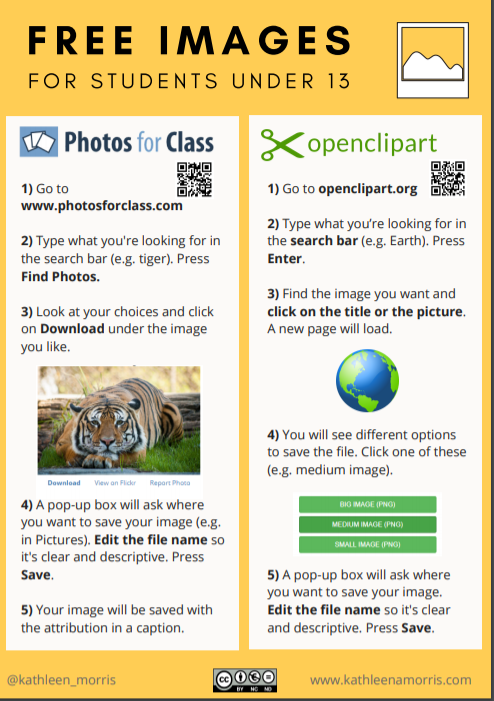
👉🏽 Don’t forget that a picture always makes a blog post better too! Don’t remember where you can get pictures from? Go back to Week Three. 

Step Four: Connect with others when you’ve published your post

As always, an important part of the challenge is to connect with others. You never know what you might learn or who you could connect with!
When you’ve finished your post, choose a couple of blogs to visit and leave a quality comment.
Remember to ask a question and check back to see if they replied to you (most platforms have a box to tick so you can get an email when there is a follow-up comment).
You will find the link to the week 5 participants’ posts on the sidebar of this blog on Tuesday.

Wednesday, April 15, 2020

Term 2

Bitmoji Image

Welcome to Term 2 starting with...online learning!!!

Here is Week 3 and Week 4 of the Blogging Challenge

🌏 Week 3 🌏

~ Please read through the website as there is a lot of information informing you about using images and copyright.~


Try this out...


🌏 Week 4 🌏


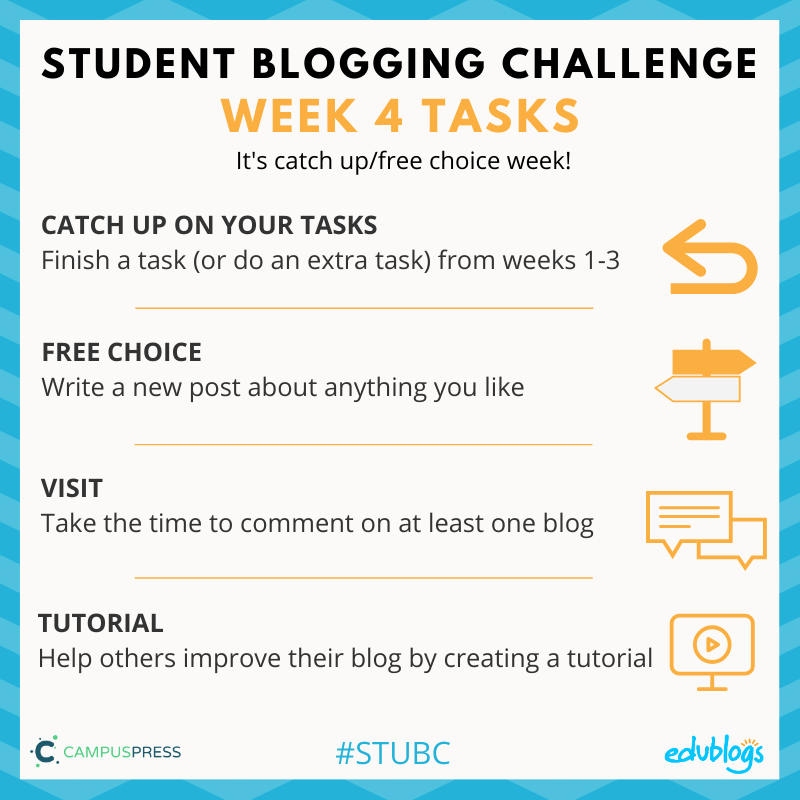
Week four of the Student Blogging Challenge allows you to catch up or write a free choice post.

I suggest for the Free choice post about Lockdown.  This could be the diary entry from the Google Slide.  Tell people what you have been up to, add videos and photos.  Remember to comment on others to get comments on yours.

Or some other ideas

Free Choice

sign saying go
What’s something that interests you? Write about it!
Stuck for ideas?
  • Do you feel like writing about your experience with the global pandemic? What is it like for you? Are you learning at home?
  • Check out these 100 blogging prompts for students. 
  • Here are 50 more blogging prompts for students. 
  • Do you like poetry? This post on The Edublogger has 15 ideas for fun poetry activities.
  • One of the teachers in our blogging community, Sheri Edwards, created a tutorial showing how to make a character out of Google Drawings. Why not make a character and blog about it?
  • Sheri has another great post about Sharing Hobbies. It might give you even more ideas about sharing and connecting.
If you write a free choice post this week, submit it in the Google Form at the bottom of this post.

Also, some of you want to add the visitor bar down the side...
Here is how...


OR


Have a play around here.

FINALLY, remember to submit your blog post here in the Google Form.